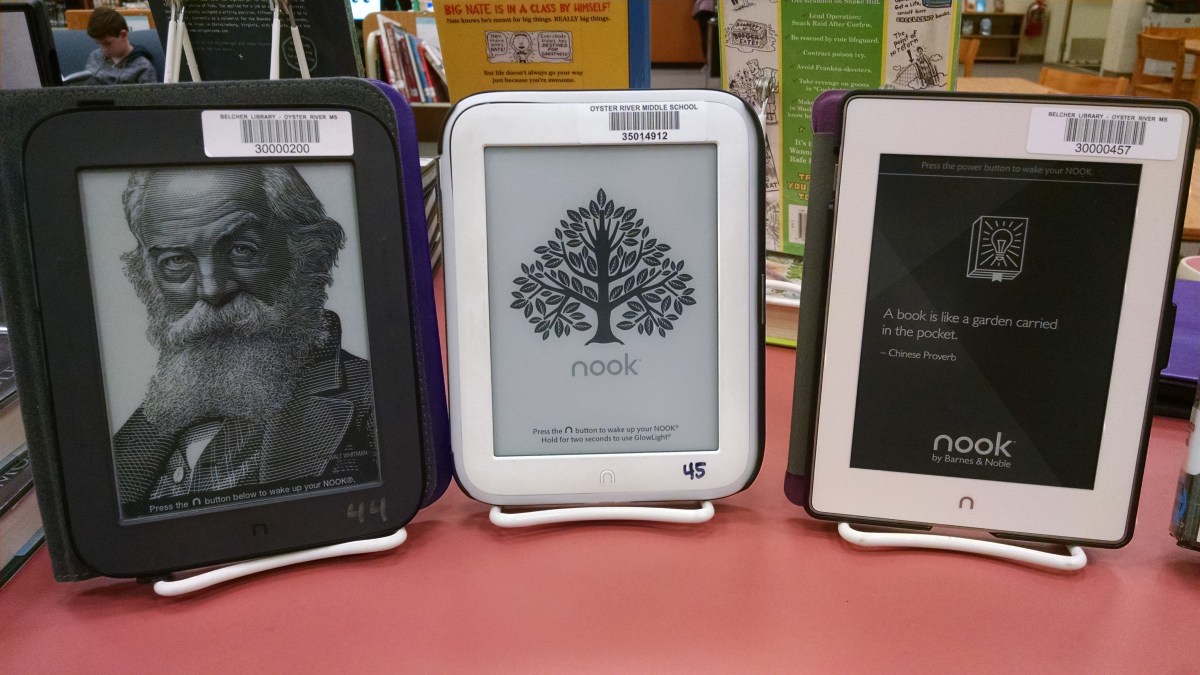
I recently purchased seven NOOK GlowLight Pluses to replace our aging NOOK Simple Touches. As the new devices were getting set up for circulation I found myself reflecting on our eReader collection – its evolution, succeses and challenges, and its future.
When I started at ORMS 3 1/2 years ago the library owned eight NOOK Simple Touches. My previous libraries did not own eReaders so I really wasn’t sure how to market them or utilize them to supplement our print collection. My assistant at the time helped me understand the decision making process that resulted in purchasing NOOKs over other devices. NOOKs were chosen over Kindles for many reasons, most notably that Barnes and Noble allowed six devices to be associated with one account – purchase one “copy” of a title and it can go on six devices. Simple Touches were chosen over other NOOK models because, as eReaders (as opposed to tablets) the devices could be purchased without our IT department’s approval and because the patrons that borrowed them would be using them to read books because that is all they can do (as opposed to tablets, where using it to go online or game would be an option).
It was great to have the devices but during that first year the circulation was very poor. My assistant and I identified a few reasons for this poor circulation. First, there was no promotion of the devices – if a patron didn’t know we had them, there was pretty much no way they were going to find out. Second, borrowing the devices required the student to get a permission slip signed but a parent – seems like a relatively minor thing but it seemed that most of the few kids that inquired about borrowing an eReader did not return this permission slip. Lastly, the titles on the NOOKs were very random – there was no record of any sort of collection development plan for the eReader collection.
Going into my second year at ORMS I decided that we needed to do something with these devices – they were literally gathering dust on a shelf in my office. So we made some changes. I decided that kids would no longer need a permission slip to borrow a NOOK. A plan was developed to promote the NOOKs by creating a physical presence on our shelves. And a plan was developed for expanding the number of devices we would own, and what types of titles would go on each set of devices.
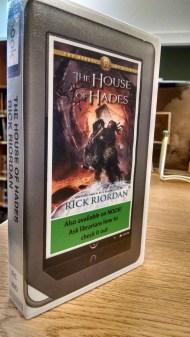
Several strategies were use to proactively promote the NOOKs. We made sure that every title on the NOOKs was in our catalog. We also made sure every NOOK title has a physical presence on our shelf. We accomplished this by using empty VHS cases to create a “book” that could be shelved next to the print version of the title. The cover of this “book” alerts the patron that we have that title on our NOOKs and that they ask a librarian if they want to borrow one of the devices.
Doing away with the permission slip seemed like a risky move at the time – after all, if a student lost or damaged the device we would be asking them (and their family) to replace it at a cost in the ballpark of $100. In lieu of a permission slip, I now have a conversation with the student about three things – safety and security of the device, the responsibility they assume when they borrow it and how to use it. I will have this conversation with the kid the first time they want to borrow the NOOK, and after that they can borrow the NOOK without having to speak to me. I have had this conversation so many times that I could recite it in my sleep. The downside of this method is that it takes about five minutes to have the conversation which, when it is busy in the library can be tough as I have to take myself off of the floor (no reader advisory), and this can happen several times in the course of one class’s visit to the library for book checkout. The benefits of this method outweigh this downside though – now, when kids decide they want to borrow the NOOK they can. The permission slip essentially resulted in a 24 hour waiting period and we are talking about eReaders here, not guns. Since eliminating the permission slip the NOOKs have circulated hundreds of times and we have had only one instance where a student needed to replace the device.
The ability to attach six devices to one account is something I really wanted to leverage – I am not a huge fan of having multiple copies of the same title on the shelf but there are certain titles that the demand warrants it. We built a collection development plan for the NOOKs that really took advantage of this feature. It is worth mentioning that at the time I was developing the plan for the NOOKs I was also thinking of how to better promote the titles on the Great Stone Face and Isinglass Teen Read award lists and I concluded that we could more effectively promote the titles if we always had a copy of each nominated title available. I bought 16 more NOOKs bringing our total to 24 devices. We set up four accounts, attached six devices to each account and each of those “sets” had a different collection on them. Set 1 contains high-demand titles that are appealing to our younger readers (we are a 5-8 school) and Set 2 contains high-demand titles that are appealing to our older readers. These sets allow us to meet the demand of these popular titles without having a ton of print copies of the individual titles on the shelf. Titles can also be purchased, loaded onto the devices and circulated much quicker that I can get print copies by going through the requisition/purchase order process. Set 3 was loaded with the Great Stone Face Award nominees and Set 4 was loaded with the Isinglass Teen Read nominees. Having these sets allows me to aggressively promote nominees knowing that we can meet the demand for a specific title that often comes after I do a book talk on the title.
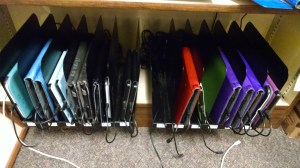
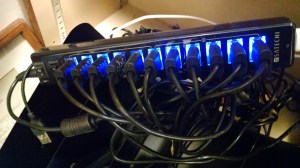
We purchased covers in four different colors to help us keep the devices organized and help us easily identify what set a device was in. I purchased metal files dividers and USB power strips to create a relatively clean charging station.
Our initial 24 devices were all NOOK Simple Touches. These devices held up pretty well, especially considering that they are being used by middle school kids, but as with all consumer electronics they began to break down over time. Barnes and Noble no longer manufactures the Simple Touch. The first two Simple Touches that broke down were replaced with NOOK GlowLights – a very similar eInk eReader (not a tablet) but with a backlit screen that the kids really like. Recently we have had a slew of Simple Touches fail and those are being replaced with the GlowLight Plus – in addition to the backlit screen this device has a metal casing and is water resistant so it will hopefully be weel recieved by our students.
At this time I have no plans on expanding the number of devices we have – one reason for this is the cost of replacing the original Simple Touches that are currently reaching the end of their life span. One thing I am thinking about is if we should and how we could use eReaders to allow our kids to access downloadable eBooks through services like OverDrive.
The NOOKs are a great component of our collection – they help us fill some gaps in our print collection in both a financial and space efficient way. They have played a huge role in our school’s participation in the Great Stone Face and Isinglass Teen Read award promotion. While we have some kids that still prefer print over eReaders (they will place a hold on a print copy rather than check out the NOOK with the same title on it) we have more students that just want to read from a NOOK – they ask to borrow one without a specific title they want to read. Even though eReaders have been around for a while, and many kids have access to devices at home, the NOOKs have a novelty factor that is appealing to some kids, particularly our younger students. I also feel that, by lending the devices to kids without a permission slip, we are sending a message to them that we trust them and have faith in their ability to be responsible, and that might be the most important of all the benefits.
 Nick Bellows